 /SLASHPLAY
CS2 server console commands
The CS2 server commands and settings worth knowing, grouped by match, rounds, economy, bots, maps and server, with defaults and the commands SLASHPLAY blocks.
Read the transcript
This audio was created with Boson AI's Higgs Audio: boson.ai/higgs-audio
These are the CS2 server commands and settings you are most likely to want, taken from the list the Console tab suggests as you type. Run them in the Console tab, from an RCON tool, or from game chat with !rcon <command>. You need the Control servers permission and a Live server.
A few things that make the console easier:
-
Start typing and the console suggests matching commands, with a one-line description and the default. Tab completes, ↑ ↓ browse.
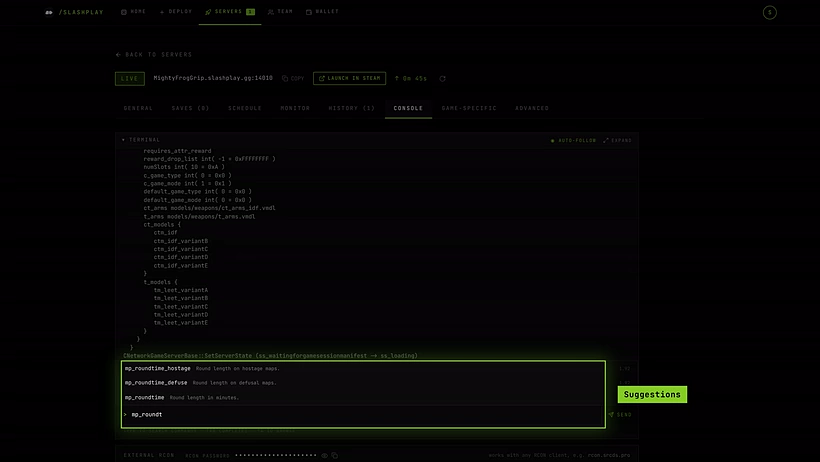
Type part of a command and the console suggests the rest. -
Separate several commands with
;on one line:mp_freezetime 5; mp_restartgame 1. -
Commands you run are kept as Recent shortcuts for this server, most used first.
-
Settings you change here last until the server restarts. For settings that survive, put them in a
.cfgfile (see the end of this page) or in launch options.
The defaults below are CS2’s stock values. A game mode or a config can change them, so treat them as a guide, not the value your server is running right now.
Match flow
| Command | What it does |
|---|---|
mp_restartgame <seconds> | Restart the match after N seconds. Scores and money reset. |
mp_warmup_start | Start warmup. |
mp_warmup_end | End warmup now and begin the match. |
mp_pause_match | Pause at the next freeze time, not mid-round. |
mp_unpause_match | Resume a paused match. |
mp_swapteams | Swap CT and T sides. |
mp_scrambleteams | Randomly reassign players to teams. |
endround | End the current round immediately. |
Rounds and timing
| Setting | Default | What it does |
|---|---|---|
mp_maxrounds | 24 | Rounds played before the match ends. |
mp_roundtime | 1.92 | Round length in minutes. |
mp_roundtime_defuse | 1.92 | Round length on bomb maps. |
mp_roundtime_hostage | 1.92 | Round length on hostage maps. |
mp_freezetime | 15 | Seconds of buy-time freeze at the start of each round. |
mp_buytime | 20 | Seconds the buy menu stays open. |
mp_buy_anywhere | 0 | 1 lets players buy outside the spawn zone. |
mp_halftime | 1 | Switch sides at halftime. |
mp_match_can_clinch | 1 | End the match early once a team can’t be caught. |
mp_overtime_enable | 0 | Play overtime on a tie. |
mp_warmuptime | 60 | Warmup length in seconds. |
mp_timelimit | 0 | Map time limit in minutes. 0 means no limit. |
In CS2, mp_roundtime_defuse is the one that counts on bomb maps, so set it alongside mp_roundtime.
Economy
| Setting | Default | What it does |
|---|---|---|
mp_startmoney | 800 | Money each player starts a half with. |
mp_maxmoney | 16000 | Money cap. |
mp_afterroundmoney | 0 | Bonus for everyone after each round. |
mp_free_armor | 0 | 0 none, 1 vest, 2 vest and helmet. |
mp_playercashawards | 1 | Money for kills and objectives. |
mp_teamcashawards | 1 | Team money for round outcomes. |
Teams, players and damage
| Setting | Default | What it does |
|---|---|---|
mp_friendlyfire | 0 | Damage to teammates. |
mp_autoteambalance | 1 | Even out team sizes automatically. |
mp_limitteams | 2 | Maximum team size difference. 0 means no limit. |
mp_respawn_on_death_t / _ct | 0 | Instant respawn for that side. |
mp_damage_headshot_only | 0 | Only headshots deal damage. |
mp_ct_default_primary / mp_t_default_primary | empty | Spawn weapon, for example weapon_m4a1 or weapon_ak47. |
mp_teamname_1 / mp_teamname_2 | empty | Scoreboard team names. |
sv_alltalk | 0 | Both teams hear each other on voice. |
sv_deadtalk | 0 | Dead players can talk to the living. |
Bots
| Command or setting | Default | What it does |
|---|---|---|
bot_add_t / bot_add_ct | Add one bot to that team. | |
bot_add <t/ct> <difficulty> | Add a bot, optionally choosing team and difficulty. | |
bot_kick <name/all> | Remove bots. | |
bot_kill <name/all> | Kill bots without removing them. | |
bot_quota | 10 | How many bots to keep on the server. |
bot_quota_mode | normal | normal fixed count, fill fill up to the quota, match match the number of humans. |
bot_difficulty | 1 | 0 easy to 3 expert. |
bot_join_after_player | 1 | Bots only join once a human has. |
bot_stop, bot_dont_shoot and bot_mimic exist for practice but need sv_cheats 1.
Maps
| Command | What it does |
|---|---|
changelevel <map> | Change map, keeping players connected. |
map <map> | Load a map, disconnecting and reloading everyone. |
host_workshop_map <id> | Load a Steam Workshop map by its id. See Workshop maps. |
game_type <n> / game_mode <n> | Set the mode; takes effect on the next map load. See Game modes and maps. |
mp_endmatch_votenextmap | Default 1: players vote for the next map when a match ends. |
Players and bans
| Command | What it does |
|---|---|
status | List connected players with their user id, ping and state. |
kick <name> | Disconnect a player by name. |
kickid <userid or steamid> | Disconnect by user id or Steam ID. |
banid <minutes> <steamid> | Ban a Steam ID. 0 minutes means permanent. |
removeid <steamid> | Lift a Steam ID ban. |
writeid | Save the Steam ID ban list to banned_user.cfg. |
say <message> | Message everyone as the server. |
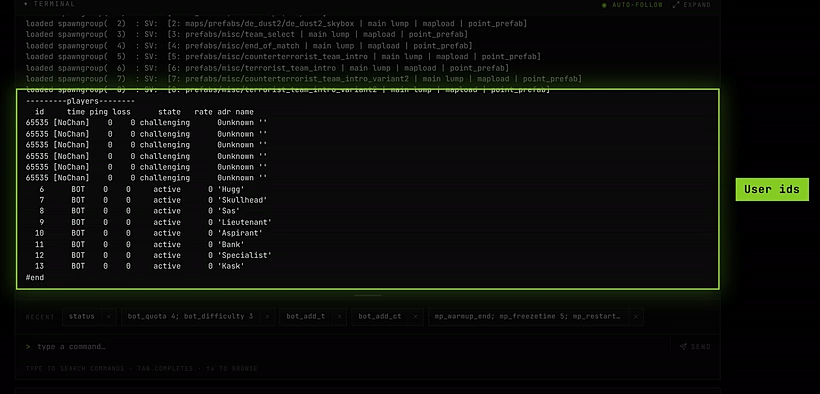
For a friendlier whitelist and banlist, use the Admission queue.
Server and practice
| Setting | Default | What it does |
|---|---|---|
sv_cheats | 0 | Enables cheat-protected commands for practice. Turn it off for real matches. |
sv_infinite_ammo | 0 | 1 infinite with no reload, 2 infinite reserve. Needs sv_cheats. |
sv_showimpacts | 0 | Show bullet impacts. Needs sv_cheats. |
sv_gravity | 800 | World gravity. |
sv_airaccelerate | 12 | Mid-air acceleration. Higher values allow surf and bhop. |
sv_allow_votes | 1 | Allow in-game player votes. |
sv_pausable | 0 | Let players pause with pause in their own console. Easier from Quick actions. |
exec <file> | Run a .cfg file from the cfg folder. |
sv_cheats and host_timescale are never saved as Recent shortcuts, so nobody can re-enable them by clicking a button by mistake.
Settings SLASHPLAY manages for you
Leave these alone. The dashboard sets them and relies on them:
| Setting | Why |
|---|---|
sv_password | The join password. Use Join password on the General tab instead. A value set in the console is lost at the next restart, and the dashboard’s copied connect command won’t include it. |
rcon_password | The dashboard console, Quick actions, the admission queue and !rcon all use it. Change it with Edit or Generate on the RCON panel: the server switches at once and they follow. The console refuses rcon_password. |
sv_hibernate_when_empty | Kept at 0 so the server stays ready when empty. SLASHPLAY needs it to detect that the server is up. |
Blocked commands
A few commands are refused in the console and in !rcon, because they would take the server somewhere the dashboard can’t bring it back from:
| Command | Refused with | Use instead |
|---|---|---|
quit, exit, shutdown, _restart | ”…” is blocked. Use the Restart button instead. | Restart, or Stop |
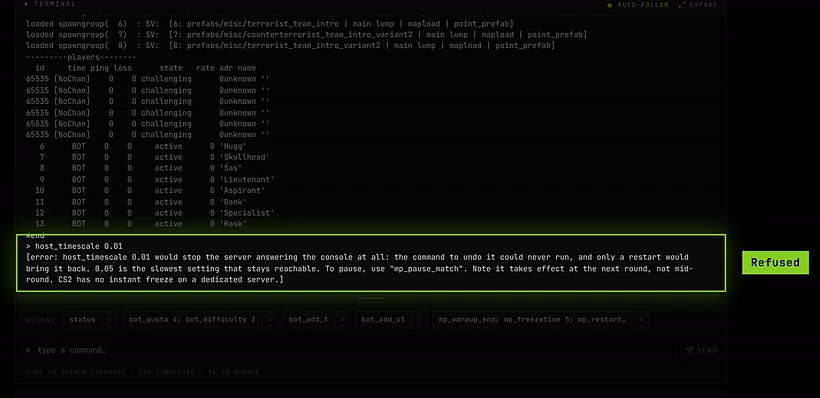
host_timescale below 0.05 | The server would stop answering commands, including the one to undo it. | Values from 0.05 to 10, or mp_pause_match |
host_timescale above 10 | The server would need far more CPU than it has and stall. | 10 or lower |
rcon_password | The dashboard would be left on the old password. | Edit or Generate on the RCON panel |
Plain host_timescale with no value just prints the current setting and is always allowed.
Make settings stick with a .cfg file
Console changes last until the game process stops. To apply a set of settings whenever you want, save them in a file:
Steps
-
On your computer, create a plain text file named for example
practice.cfg, with one command per line. -
Open Advanced → Files on the server page and go to
game/csgo/cfg. -
Click Upload and pick the file. To change it later, use Edit file on the file.
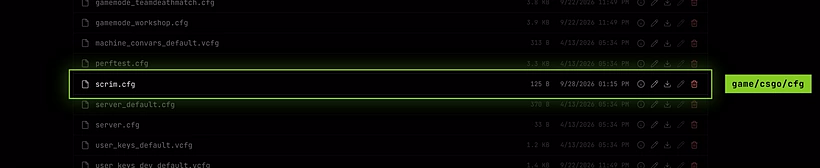
Your file sits next to CS2's own configs. -
Run it any time with
exec practicein the console.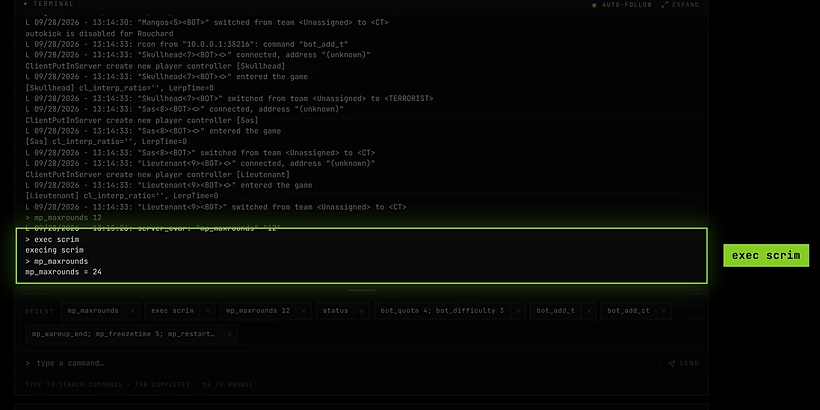
Type a setting's name on its own to check its value.
Files you upload there are part of your server’s save, so they survive stops and restores. See File manager.