 /SLASHPLAY
Counter-Strike 1.6 server console commands
The CS 1.6 server commands worth knowing: maps, round and freeze time, money, friendly fire, team balance, kicks and bans, custom maps and a lasting server.cfg.
These are the Counter-Strike 1.6 server commands you’re most likely to want. Run them in the Console tab on the server page, or from Discord with /server console. You need the Control servers permission and a Live server. Commands reach the game over RCON, so the server’s reply appears right under your command.
A few things to know first:
- As you type, the console suggests commands from its Counter-Strike list. That list is built for CS2, so some suggestions don’t exist in 1.6. The commands on this page do.
- Separate several commands with
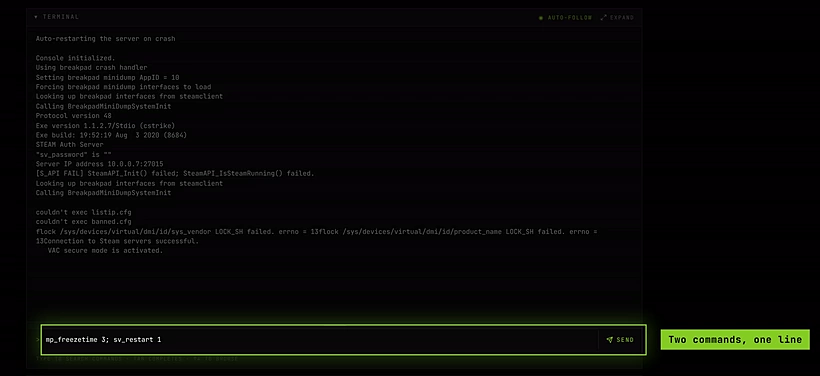
;on one line:mp_freezetime 3; sv_restart 1. - Commands you run are kept as Recent shortcuts for one-click reuse.
- Settings you change in the console last until the server restarts. To keep them, put them in
server.cfg(see Make settings stick).
See The console for the tab itself.
Maps
| Command | What it does |
|---|---|
changelevel <map> | Change map, keeping players connected. |
map <map> | Load a map, reconnecting everyone. |
maps * | List every map the server has. |
changelevel de_infernoMaps that come with Counter-Strike 1.6 include:
| Type | Maps |
|---|---|
Bomb defusal (de_) | de_dust2 (the default), de_dust, de_inferno, de_nuke, de_train, de_aztec, de_cbble, de_prodigy, de_piranesi, de_chateau, de_storm, de_survivor, de_vertigo |
Hostage rescue (cs_) | cs_office, cs_italy, cs_assault, cs_militia, cs_estate, cs_havana, cs_backalley, cs_siege |
Use maps * to see the exact list on your server.
Rounds and match
| Setting | What it does |
|---|---|
mp_timelimit <minutes> | Time on each map before it changes. 0 means no limit. |
mp_maxrounds <rounds> | Change map after this many rounds. 0 means no limit. |
mp_winlimit <rounds> | Change map after a team wins this many rounds. 0 means no limit. |
mp_roundtime <minutes> | Length of each round. |
mp_freezetime <seconds> | Freeze at the start of each round, for buying. |
mp_buytime <minutes> | How long the buy menu stays open. |
mp_c4timer <seconds> | Time from planting the bomb to the explosion. |
sv_restart <seconds> | Restart the round after N seconds, resetting scores and money. sv_restartround does the same. |
Money, teams and damage
| Setting | What it does |
|---|---|
mp_startmoney <amount> | Money each player starts with, from 800 to 16000. |
mp_friendlyfire <0/1> | Damage to teammates. |
mp_autoteambalance <0/1> | Even out team sizes automatically. |
mp_limitteams <n> | Maximum difference in team size. 0 means no limit. |
mp_autokick <0/1> | Kick idle players and team killers automatically. |
mp_footsteps <0/1> | Footstep sounds. |
mp_flashlight <0/1> | Allow flashlights. |
sv_alltalk <0/1> | Both teams hear each other on voice. |
sv_gravity <value> | World gravity. |
Bots
Counter-Strike 1.6 dedicated servers have no built-in bots, so there are no bot commands to run. Bots need a third-party add-on. See AMX Mod X on Counter-Strike 1.6 for how add-ons fit on SLASHPLAY.
Players and bans
| Command | What it does |
|---|---|
status | List connected players with their user id and Steam ID. |
kick <name> | Disconnect a player by name. Use quotes for names with spaces. |
banid <minutes> <userid or steamid> kick | Ban a player and kick them. 0 minutes means permanent. |
removeid <steamid> | Lift a ban. |
writeid | Save the ban list to a file (banned.cfg in the cstrike folder). |
say <message> | Message everyone as the server. |
Settings SLASHPLAY manages for you
These are set when the server starts. Don’t change them in the console or in server.cfg:
| Setting | Why |
|---|---|
sv_password | The join password. Use Join password on the General tab instead. If server.cfg sets it, it overrides the dashboard, and the copied connect line stops working. |
rcon_password | The Console tab uses it, and refuses to set it. Change it with Edit or Generate next to the RCON password on the General tab; on a live server the new one applies at the next restart. |
Blocked commands
quit, exit, shutdown and _restart are refused, because they would take the server down in a way the dashboard can’t follow. Use Restart on the General tab, or Stop, instead. rcon_password is refused too: change the password with Edit or Generate next to it on the General tab.
Make settings stick
Console changes are gone after a restart. For settings you want every time, put them in server.cfg. Counter-Strike 1.6 reads it from the cstrike folder itself (cstrike/server.cfg, not cstrike/cfg) each time a map loads.
cstrike/server.cfg is not in one of the kept folders, so make it yours before you edit it, or your changes are lost at the next stop.
Steps
-
On the server page, open Advanced → Files and go to
cstrike.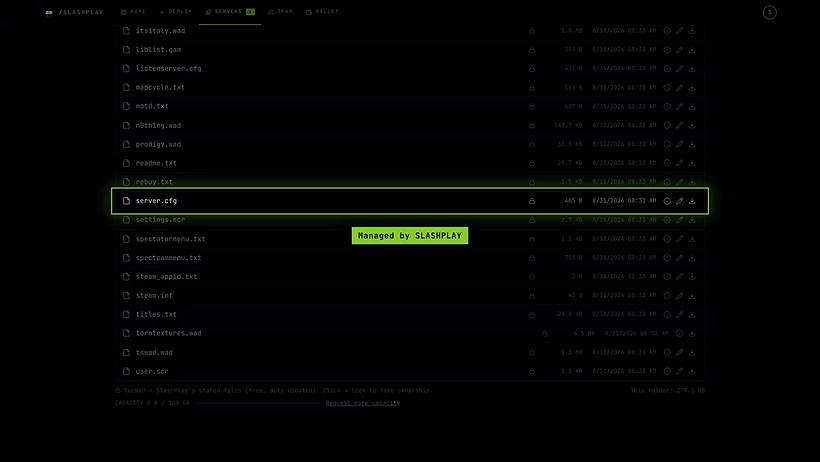
The closed padlock: server.cfg is still managed by SLASHPLAY. -
If
server.cfgshows a closed padlock, click it and choose Take ownership. It’s a tiny file, so it costs next to nothing to store. If there’s noserver.cfg, create one on your computer and Upload it: new uploads are yours automatically.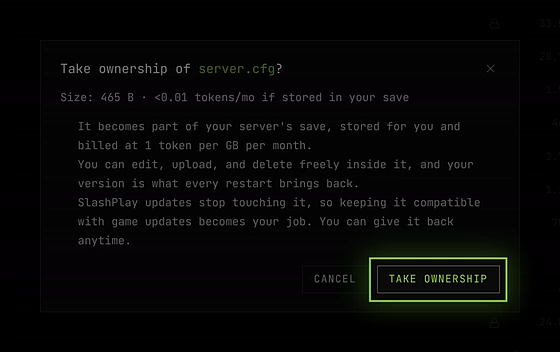
465 bytes: less than a hundredth of a token a month. -
Click Edit file on
server.cfgand add one command per line, for example:hostname "Old school 1.6" mp_timelimit 30 mp_roundtime 3 mp_freezetime 3 mp_startmoney 800 mp_friendlyfire 0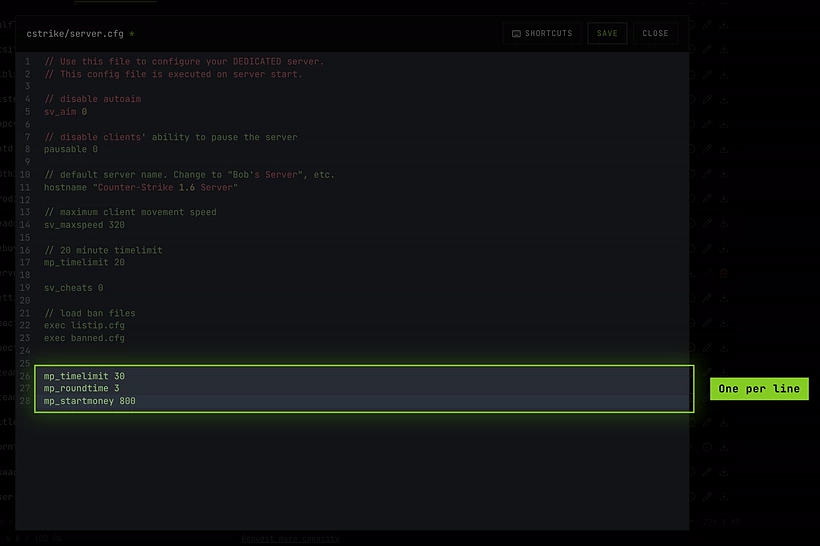
Your lines at the end of server.cfg, one per line. -
Save, then click Restart on the General tab (or change map) so the game reads it.
Leave sv_password and rcon_password out of it. Extra configs you want to run by hand can go in cstrike/cfg, which is kept. See What’s kept between runs.
Custom maps
- Upload the map’s
.bspfile tocstrike/mapswith the file manager. The folder is kept between runs. - If the map came with a
.resfile, upload it tocstrike/mapstoo. If it came with its own.wadtexture file, upload that tocstrike. Other files (models, sounds, sprites) go in the matching folders undercstrike, as they were in the download. New uploads outside the kept folders are part of your save automatically. - Load the map with
changelevel <mapname>, without the.bsp.
Players who don’t have the map download it from the server when they join. That can take a while for big maps.