 /SLASHPLAY
Warcraft: Source on Counter-Strike: Source
Run Warcraft: Source on your CS:Source server: turn on the mode to play with SLASHPLAY's ten Legends, add community race packs by link, then set admins and XP.
Read the transcript
This audio was created with Boson AI's Higgs Audio: boson.ai/higgs-audio
Warcraft: Source (WCS) gives every player a race with its own skills, which level up as they earn XP from kills and objectives. The Warcraft: Source mode installs it with SLASHPLAY’s ten Legends, so the server is ready to play. More races come from community race packs, which you add by pasting their link.
Before you start
- You need Control servers on the team.
- The server must be Live.
Turn on the mode
- Open Game-specific → Modes.
- Under Mode preset, pick Warcraft: Source.
- Click Apply mode, then Apply mode again in the confirmation. The first time, the server installs WCS and the Legends and restarts once. Wait for Live again.
- Join the server and type
changeracein chat to pick a race.wcsopens the main menu.
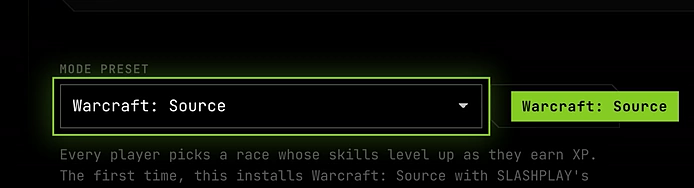
Active mode now reads Warcraft: Source, applied again every time the server starts.
The Legends
Each Legend has four skills of its own and plays on the game’s usual player models.
| Legend | In one line |
|---|---|
| Thor | The thunder god. His hammer always comes back. |
| Valkyrie | Chooses who falls, and who gets back up. |
| Hades | Lord of the dead, seldom seen coming. |
| Medusa | One look is all it takes. |
| Achilles | Cannot be beaten, except at the heel. |
| Anubis | Weighs your heart, then keeps it. |
| Sun Wukong | The Monkey King: seventy-two shapes and a very long staff. |
| Robin Hood | Robs the rich and rarely misses. |
| Dracula | Comes in as mist, leaves well fed. |
| Blackbeard | Lit fuses in his beard and a deck full of powder. |
Add community race packs
Players have written hundreds of WCS races and share them as race packs, mostly on GitHub. SLASHPLAY doesn’t make or check them. To find one, search GitHub for “WCS race pack”. The largest is ManifestManah’s Master Collection, with over 260 races. Many of its races use the extra commands in his EventScripts Emulator pack, so add both:
https://github.com/ManifestManah/Content-Package-Master-Collectionhttps://github.com/ManifestManah/EventScripts-Emulator-For-WCS
With the mode on, a Race packs section appears under it:
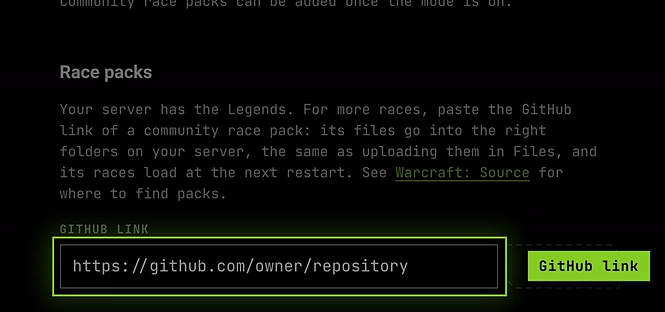
- Paste the pack’s GitHub link into GitHub link and click Add pack.
- Add the next pack the same way.
- Click Restart now.
The pack’s races are in changerace next to the Legends. Players download the pack’s sounds and textures the first time they join.
What a pack adds
The pack’s folders go into the matching folders under cstrike, the same as uploading them in Advanced → Files. Left out:
- Copies of Source.Python, the emulator, WCS or the Legends. The mode already installed working versions, and a pack’s copy would replace them.
- Your own settings:
cfg/server.cfg, WCS’sconfig.cfgandprivileges.json, and SourceMod’s admin files. - Anything that isn’t game content, like the pack’s README.
If the pack has a cfg/autoexec.cfg and your server already has one, the pack’s lines are added at the end of yours under a comment naming the pack. Lines you already have aren’t repeated.
Adding a pack again brings its files up to date. The link can also point at a branch, like https://github.com/owner/repository/tree/branch.
Pick which races load
- Legends: they’re listed under
"Legends"incfg/source-python/wcs/races.json. Delete a Legend’s line to drop it, then restart. It stays out. - Race packs: each
es_load wcs/loaders/racepack_…line incfg/autoexec.cfgloads one group of a pack’s races. Delete a line to drop that group, then restart.
Make yourself a WCS admin
WCS admins can give XP and levels and change anyone’s race from a menu.
- After the first start with WCS, open
cfg/source-python/wcs/privileges.jsonin Advanced → Files. - Replace
STEAMID_EXAMPLE1with your Steam ID, for exampleSTEAM_0:1:12345678. Add one block per admin. - Restart the server.
- Type
wcsadminin chat.
XP and levels
WCS writes its settings to cfg/source-python/wcs/config.cfg on the first start. Edit the values there and restart. The ones that set the pace:
| Setting | Default | Meaning |
|---|---|---|
wcs_kill_xp | 20 | XP for a kill. |
wcs_headshot_xp | 15 | Added for a headshot. |
wcs_knife_xp | 40 | Added for a knife kill. |
wcs_round_win_xp | 20 | For the winning team at the end of a round. |
wcs_interval | 80 | Each level takes this times the level in XP: level 1 takes 80, level 10 takes 800. Lower it to level faster. |
Players’ races and levels are saved with the server.
Switching to another mode
Another mode unloads WCS. Its files, the race packs and everyone’s levels stay on the server, so switching back to Warcraft: Source brings it all back without installing again. To remove WCS itself, uninstall Warcraft: Source in Game-specific → Plugins.
Troubleshooting
“GitHub has no public repository at that link.” Use the link of the repository’s main page. Private repositories can’t be added: download the pack and upload it in Advanced → Files instead.
“That repository has no CS:S folders to add.”
The pack isn’t laid out like a server’s cstrike folder, with addons, cfg or sound at the top. Upload the files where the pack’s instructions say, in Advanced → Files.
changerace does nothing.
Check that Active mode reads Warcraft: Source. sp plugin list in the console should list es_emulator and wcs.
A pack’s races don’t show up.
They load from the es_load lines in cfg/autoexec.cfg, at the next restart. Check that the pack’s lines are there, then restart.
A pack’s race loads but its skills do nothing.
It needs the extra commands from EventScripts-Emulator-For-WCS. Add that pack, check that cfg/autoexec.cfg has sp plugin load commandsx, and restart.
Some of a pack’s races are missing.
A few races in a pack have mistakes in their own files and are skipped. Source.Python’s log in logs/source-python/ names them.