 /SLASHPLAY
Delete a server
Permanently delete a SLASHPLAY server and its saves, protect important servers from accidental deletion, and know what stays in your team's records.
Read the transcript
This audio was created with Boson AI's Higgs Audio: boson.ai/higgs-audio
Deleting a server removes it for good, together with all its saves. It’s the way to stop paying storage for a server you’ll never play again. This page shows how to delete one, how to protect a server so it can’t be deleted by accident, and what’s left afterwards.
Before you start
- The server must be stopped. Only stopped servers have a delete button. Stop it with Stop first.
- Deletion protection must be off. See below.
- You need the Delete saves permission on the team, because deleting a server deletes its saves. On your own personal team you have it. See Roles and permissions.
Steps
- Open the Servers tab.
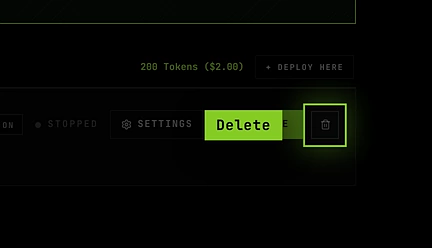
- Find the stopped server. At the right of its card, next to Manage and Start, is a trash button.
- Click the trash button. A dialog asks you to type DELETE to confirm.
- Type it, then click Delete server.
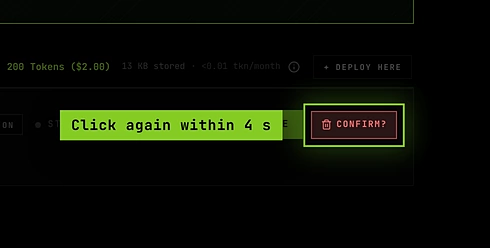
The server disappears from the list, and its saves and files are deleted.
Deletion protection
For a server you really care about, such as a long-running survival world, turn on deletion protection. A protected server can’t be deleted by anyone until the protection is turned off.
- Open the server page (Manage on its card), General tab.
- Under Settings, turn on the Deletion protection switch.

On the Servers tab, a protected server shows a Protected shield where the trash button would be. Clicking it explains that the server can’t be deleted while protection is on, with a shortcut to Manage.
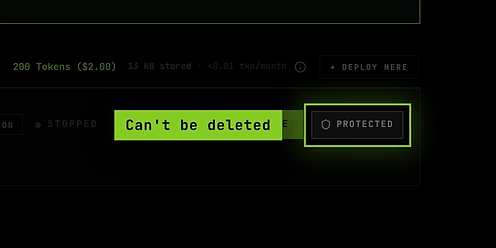
To delete a protected server, turn off Deletion protection on its server page first, then delete it as above. Changing protection needs the Control servers permission. Protection is kept across stops and restores.
What’s removed and what remains
| Removed | Remains |
|---|---|
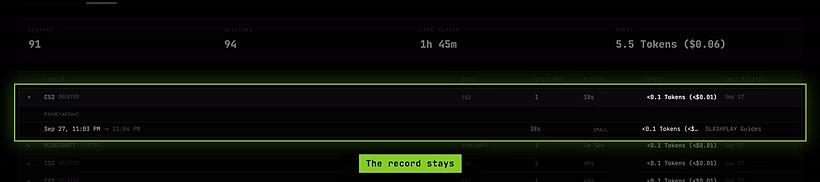
| The server, from the Servers tab | The server’s record in the team’s Log, marked Deleted, with its sessions, time played and spend |
| All its saves, and the storage cost with them | Tokens already spent (they aren’t refunded) |
| Its files, owned folders and Full Box system changes | Your team and its balance |
Because the team log keeps the record, you can always see what a deleted server cost. See Team log.
Troubleshooting
There’s no trash button. The server is live, or you don’t have the Delete saves permission. Stop it first, or ask a team admin.
It says Protected instead. Deletion protection is on. Turn it off on the server page.
I clicked the trash button and nothing happened. A dialog should open, asking you to type DELETE before it lets you confirm.
I deleted the wrong server. Deletion can’t be undone. If you downloaded a save, you can deploy a new server of the same game and upload the files with the file manager.