 /SLASHPLAY
How to find your Steam ID: SteamID64, Steam3 and STEAM_0
Find your Steam ID in a minute, see what SteamID64, Steam3 and STEAM_0 mean, convert between them, and which one each SLASHPLAY feature needs.
Read the transcript
This audio was created with Boson AI's Higgs Audio: boson.ai/higgs-audio
Your Steam ID is the number that identifies your Steam account, and game servers use it to know who you are: for admin lists, whitelists, bans and !rcon. It comes written in three different ways, and different games and tools ask for different ones. This page shows the quickest way to find yours, what the three formats are, how they convert, and which one you need where on SLASHPLAY.
Your Steam ID isn’t a secret. It’s public on your Steam profile, and it can’t be used to sign in as you or change anything on your account. Sharing it with a server owner is normal.
The quick way
- In the Steam app: click your account name at the top right and choose Account details. Your Steam ID is shown under the account name, a 17-digit number starting with
7656. That’s your SteamID64. - From your profile link: open your Steam profile. If the address is
steamcommunity.com/profiles/7656..., that 17-digit number is your SteamID64. If it’ssteamcommunity.com/id/yourname, you’ve set a custom URL, and the number isn’t in the link; use step 3. - Need another format, or have a custom URL? Paste your profile link into a Steam ID lookup site. It shows all three formats at once. Two long-running ones:
SLASHPLAY doesn’t run a lookup of its own. These sites only read what’s already public on your Steam profile.
The three formats
All three point at the same account. They’re just written differently.
| Format | Example | What it looks like | Where you’ll see it |
|---|---|---|---|
| SteamID64 | 76561197984957085 | 17 digits, starts with 7656 | Steam’s Account details, profile links, Valheim, most websites |
| Steam3 | [U:1:24691357] | Square brackets, U:1:, then a number | CS2, TF2 and Garry’s Mod status output, SourceMod |
| STEAM_0 / STEAM_1 (legacy) | STEAM_0:1:12345678 | STEAM_, then two numbers | CS 1.6, Counter-Strike: Source, AMX Mod X, older plugins |
The STEAM_0 and STEAM_1 forms mean the same account: older games write STEAM_0, CS:GO wrote STEAM_1. If a tool rejects one, try the other.
Convert between them
Every format is built from one number, the account number (in Steam3 it’s the last part: 24691357 in [U:1:24691357]).
- Steam3 =
[U:1:+ account number +] - SteamID64 =
76561197960265728+ account number. So76561197960265728 + 24691357 = 76561197984957085. - STEAM_0:Y:Z:
Yis the remainder when you divide the account number by 2 (0 or 1), andZis the account number divided by 2, rounded down. So24691357becomesSTEAM_0:1:12345678.
A lookup site does this for you, and it’s easy to slip on 17-digit numbers by hand.
Which one SLASHPLAY needs
| Where | Format | Notes |
|---|---|---|
| CS2 admission queue whitelist | Steam3 ([U:1:…]), or STEAM_0:… | The 17-digit form isn’t accepted there. Easiest: let the player knock once and click Approve. |
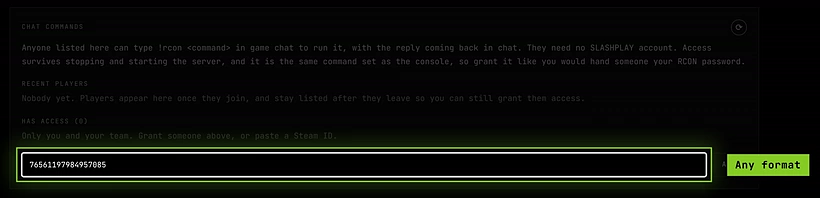
CS2 !rcon access | Any of the three | Or let them join the server and click Give RCON next to their name under Recent players. |
| Valheim admin, ban and permitted lists | SteamID64 | One per line in adminlist.txt, bannedlist.txt or permittedlist.txt. |
| Counter-Strike: Source SourceMod admins | Steam3 or STEAM_0 | Copy it from the status line to be sure. |
| CS 1.6 AMX Mod X admins | STEAM_0 | In AMX Mod X’s users file. |
banid, kickid and removeid in the console of CS 1.6, CS:S, TF2 and Garry’s Mod | The form status shows | Copy it straight from the status output. |
| Signing in to SLASHPLAY with Steam | None to type | Steam sign-in links your account by itself. See Sign-in methods. |

Troubleshooting
My profile link has a name in it, not a number. You’ve set a custom URL. Paste the whole link into steamid.io or steamid.xyz to get the numbers, or use Account details in the Steam app.
The whitelist says my Steam ID isn’t valid.
Check the format the field asks for. The CS2 admission queue wants [U:1:…] (or STEAM_0:…), not the 17-digit number. Convert it, or let the player knock once and approve them.
I added my ID but I’m still not an admin. Make sure it’s your own account and the right format for that list, on its own line, with no spaces around it. Most games only read their lists when the server starts, so restart it and rejoin.
Is it safe to post my Steam ID? Yes. It’s a public identifier, not a password: it’s visible to anyone on your Steam profile, and nobody can sign in or trade with it.