 /SLASHPLAY
Paper or Vanilla? Choose your Minecraft version
The three Minecraft versions on SLASHPLAY: Paper (latest), Vanilla (latest) and Paper 1.21. What each one is, who should pick it, and how to change later.
Read the transcript
This audio was created with Boson AI's Higgs Audio: boson.ai/higgs-audio
When you deploy a Minecraft server, the deploy window asks for a Version. You pick it once, when you create the server, so this page helps you get it right the first time. All three are Minecraft: Java Edition and cost the same: 3 tokens an hour on SMALL.
The three versions
You pick the version in the deploy window, under Version:
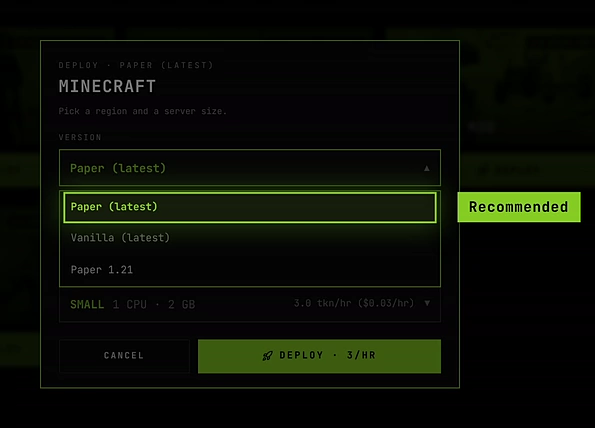
| Version | What it is | Plugins | Minecraft version |
|---|---|---|---|
| Paper (latest) (default) | Paper, a popular faster server built on Minecraft | Yes | The newest release Paper supports |
| Vanilla (latest) | The official server from Mojang, unchanged | No | The newest Minecraft release |
| Paper 1.21 | Paper, held on one version | Yes | Minecraft 1.21 (1.21.x) |
Paper (latest)
Paper is a server that plays like normal Minecraft but runs faster and smoother, especially with more players or big farms. It also loads plugins: add-ons such as land claims, homes and teleports, permissions, or grief rollback. It’s the default because it suits most groups.
A handful of redstone tricks that depend on exact vanilla bugs (some duplication and TNT tricks) behave differently on Paper, because Paper fixes those bugs.
Pick it if you want a normal survival world, might want plugins later, or aren’t sure.
Vanilla (latest)
The official Minecraft server, exactly as Mojang ships it. No plugins, no changes.
Pick it if you play technical Minecraft and need redstone and farms to behave exactly like single player, or you simply want the untouched game. Right after a big Minecraft update, Vanilla is also the first to have the new version: Paper publishes its build some time after Mojang’s release.
Paper 1.21
Paper, but it stays on Minecraft 1.21 instead of moving to each new release.
Pick it if a plugin you depend on only supports 1.21, or your group wants to stay on 1.21. Everyone who joins needs Minecraft 1.21 too: in the Minecraft Launcher, create an installation under Installations and pick a 1.21 release.
Your players need the same version
Minecraft only lets players join a server on the same version as their game. The two “latest” versions follow new Minecraft releases, which is what the launcher plays by default. After a new release, a “latest” server can come up on the new version the next time it starts, so players may need to update their game.
Changing version later
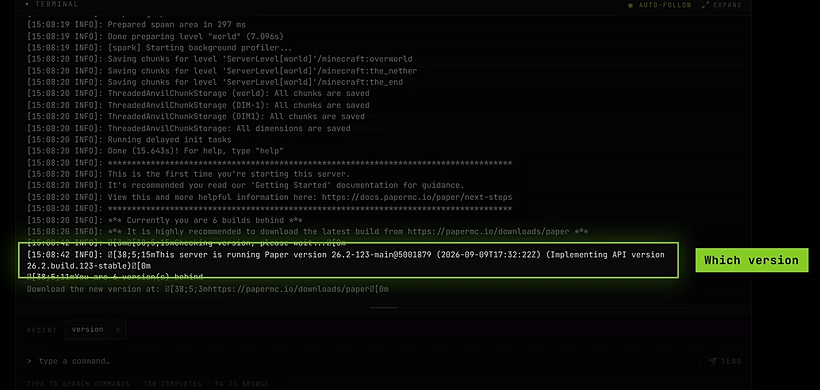
You can’t switch an existing server from one version to another. To change, deploy a new server with the version you want.
You can carry your world over by hand. On the old server’s Saves tab, click Download to get the world as a .zip. Then upload the world folders (world, plus world_nether and world_the_end if the old server has them: Paper 1.21 keeps the Nether and the End in folders of their own) to the new server with the file manager. Keep the download as a backup until you’ve checked the new server, and only move to the same or a newer Minecraft version. Plugins only come along if the new server is also Paper.

If that’s more than you want to deal with, pick the right version now and you won’t need it.